
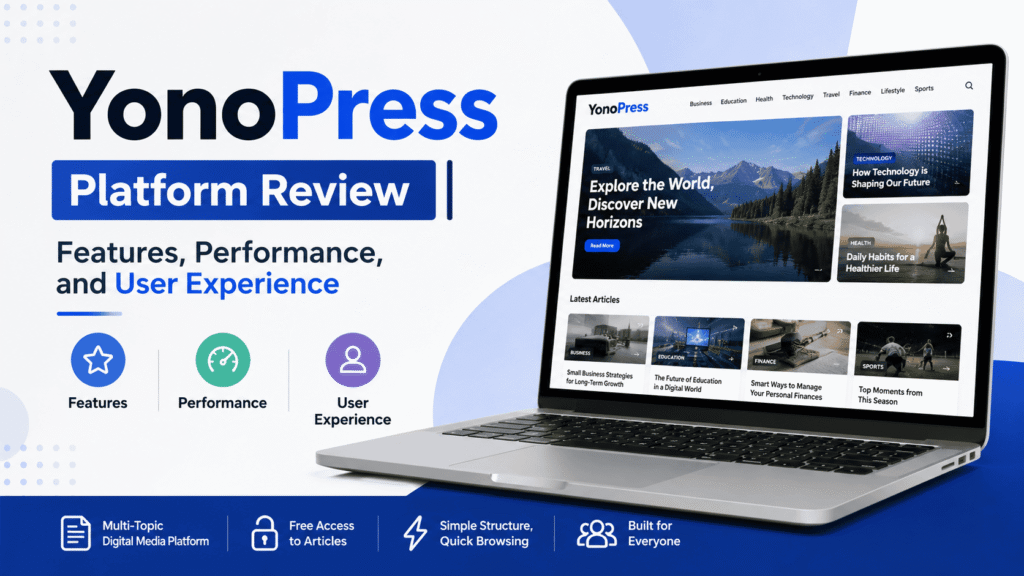
Yonopress is a multi topic digital media platform that publishes content across business, education, health, technology, travel, finance, lifestyle, and sports. Its public pages show a simple structure, free access to articles, and a layout built for quick browsing.
What Yonopress Is
Yonopress presents itself as a digital media site focused on fresh content and broad topic coverage. The homepage describes it as a modern platform for news and insights across several industries, with a goal of giving readers one place for different kinds of information. The site does not appear to limit itself to one niche. Instead, it combines many subjects in a single publishing space.
The homepage menu shows main category links for Technology, Education, Health, Travel, Business, Finance, and Lifestyle. An article page also shows the same category pattern and adds visible sections such as recent posts, search, and latest posts in the sidebar and footer area. That confirms a content model built around topic discovery and repeat visits.
Main Features
The clearest feature is the category based navigation. Readers can move directly into the section that matches their interest instead of browsing a large mixed feed. The top menu keeps the main topics visible, which reduces the number of steps needed to reach an article.
The site also uses a homepage layout that groups content into Featured News, Latest Updates, and Popular Articles. That structure is visible in the homepage copy and is meant to help readers find current and trending material faster. A separate article page also shows a table of contents, which is useful for long articles because it gives readers a clear map of the page before they start reading.
Another visible feature is free access. The homepage says users do not need a subscription to read the content. That makes the platform easy to access on any device with a browser, without a login barrier at the point of reading.
Content Coverage
Yonopress covers several content areas rather than a single vertical. The homepage explicitly lists business, education, health, technology, travel, finance, lifestyle, and sports. It also describes the site as a place for practical insights and trending topics.
The article pages show that the site also publishes topical explainers and how to style content. For example, one article focuses on AI tutors and personalized education, while the recent posts section includes topics such as internet infrastructure, CFD trading, customer communication, and car insurance lapse costs. This shows that the platform mixes educational explainers with business and consumer focused content.
That wide coverage can help readers who want a single site for multiple interests. It also means the platform is built more like a general content hub than a specialist reference site. The content model is broad, not narrow.
Meetshaxs is another software tool that is often discussed in the context of digital platforms and online productivity systems, and it connects well with similar platform based tools used for content and workflow management.
Performance and Site Structure
From a user interface point of view, the site is organized in a straightforward way. The homepage uses a clean menu with a small set of top level categories, and the article pages repeat that same navigation pattern. This kind of repeated structure usually makes it easier for readers to move around the site without learning a new layout on each page.
The public pages reviewed do not publish a speed score, Core Web Vitals report, or any formal loading benchmark. What can be observed directly is that the site uses a compact WordPress style layout, a visible table of contents on long posts, and a sidebar area with recent content. Those design choices support easier scanning, but they are not the same as a measured performance test.
The footer also shows a standard content site structure with latest posts and a theme credit at the bottom. That suggests a familiar publishing setup rather than a custom app like interface. For readers, that usually means the experience will feel simple and familiar rather than highly interactive.
User Experience
The user experience on Yonopress is built around clarity. A visitor lands on a homepage with visible categories, clear article groupings, and direct entry points into current content. On an article page, the table of contents makes long reading sessions easier because the reader can jump to a section without scrolling through the whole page.
The site also supports low friction browsing. There is no visible paywall on the pages reviewed, and the homepage presents content immediately rather than forcing the reader through account steps. For casual readers, that lowers the effort needed to start reading.
Search is also visible on the article page, which matters on a site with many categories and a wide article mix. A search function helps readers return to a topic they saw earlier or look for related material without depending only on menus.
The overall UX pattern is practical. It is designed for readers who want quick access to articles, easy topic switching, and a simple reading flow. The site does not rely on heavy visual complexity, and that keeps the interface easy to follow.
Xendit Work GamificationSummit highlights how modern companies like Xendit use gamification strategies in work environments to improve engagement, productivity, and employee experience.
Access and Publishing Model
Yonopress appears to follow a standard content publishing model. The pages show bylines, dates, category labels, recent posts, and a footer with latest article links. That is the typical structure of an active editorial site that publishes regularly and organizes articles by topic.
The homepage and article pages both show the name YonoPress and repeated taglines about smart thinking, practical guides, and trending topics. This consistency suggests a single brand voice across the site, which is useful for readers who want a predictable content source.
The site also lists a contact email in the footer area. That gives readers and contributors a direct contact path, which is a basic trust signal on a public content platform.
Who Yonopress Fits Best
Yonopress fits readers who want general interest content in one place. The category mix makes it suitable for people who browse business, education, health, finance, technology, lifestyle, or travel content without wanting to open many separate websites.
It also fits readers who prefer simple layouts. The visible category menu, table of contents on longer posts, and recent post sections make the site easy to scan. That is especially useful for casual readers, students, and anyone who wants fast access to current articles.
For SEO readers, the site structure also matters. Topic categories, article bylines, timestamps, and internal discovery sections all help search engines and human readers understand where each article fits. That is a standard publishing pattern for evergreen content sites.
Key Observations for Readers
Yonopress is broad in scope, simple in layout, and easy to browse. The platform’s strongest visible points are its topic variety, open access, and clear navigation structure. The pages reviewed support fast scanning and straightforward reading rather than complex interaction.
The site also looks built for ongoing publishing. The repeated use of category menus, recent post lists, and article tables of contents shows a system designed to keep adding content and make that content easy to find.