

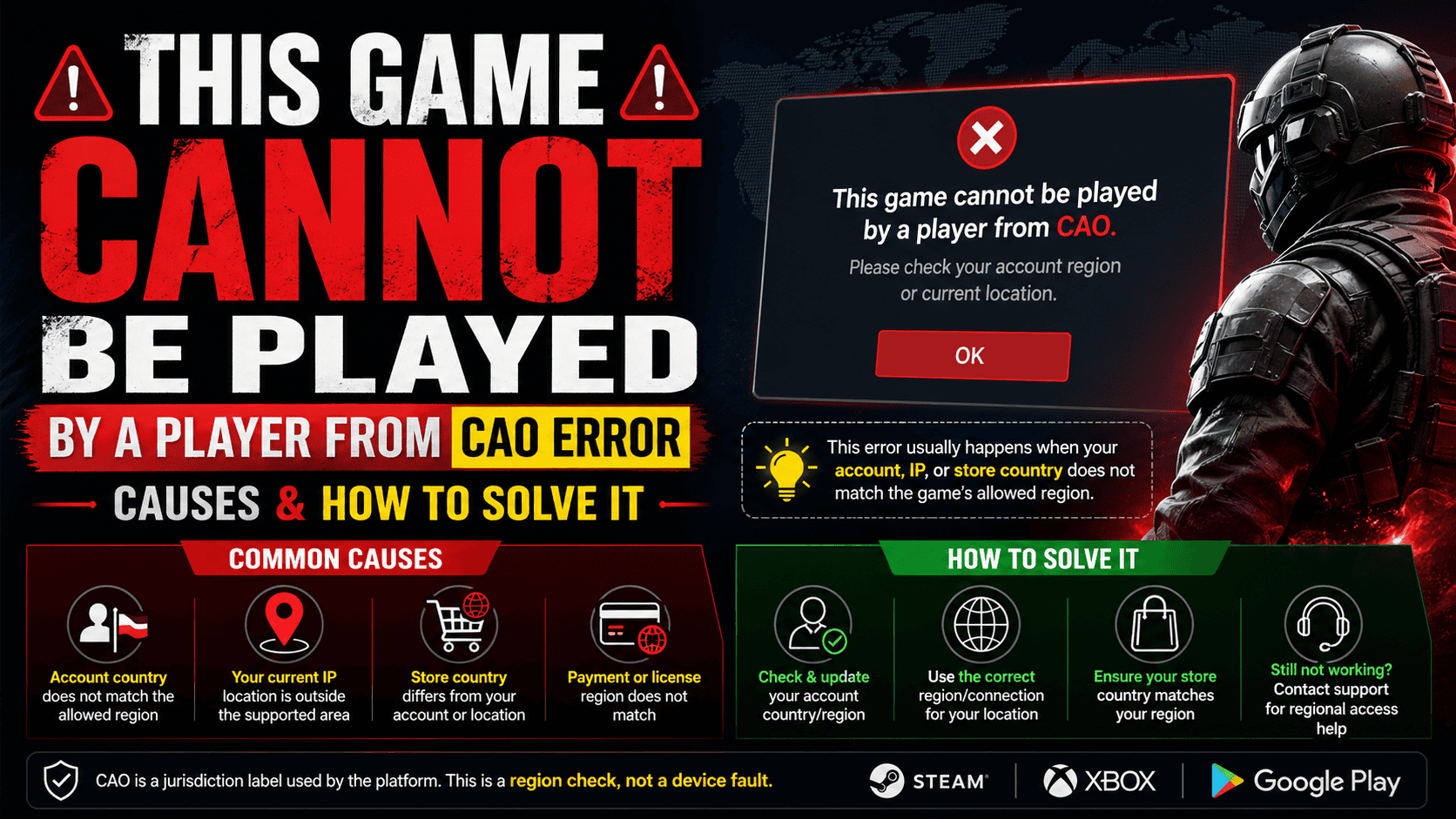

This error means the game is blocking access because your account, IP address, or store country does not match the game’s allowed region. In many cases, CAO is a jurisdiction label used by the platform, so the problem is usually a region check, not a device fault.
What the CAO Error Means
The message “This game cannot be played by a player from CAO” is a region restriction error. The game checks where the player is allowed to play based on account country, current location, store country, and in some cases the payment or license region. If those details do not match the game’s supported area, the game blocks access.
This kind of restriction is common in digital games and store platforms. Steam explains that some products carry region limits, and Xbox and Google Play also document country or region based blocks when the account region does not match the user’s current location or eligible market.
You can also read about Latest Breakthroughs In Quantum Computing 2024 to understand how advanced computing systems are improving digital security and game authentication systems.
Main Causes of the CAO Error
1. Your account country does not match the game region
A very common cause is a mismatch between the account country and the country where the game is allowed. Google Play says some apps and purchases only work when the Play country matches the country of residence, and Xbox says a region block can happen when account region and physical location do not match.
2. The game is not licensed in your region
Some games are only approved for certain territories. Steam’s region restriction help page confirms that some games and keys are region restricted and cannot be used outside the designated region. This is usually a publisher or licensing rule, not a temporary bug.
3. Your store country is set to the wrong place
If the store country on your account is wrong, the platform may treat your purchase or login as a region mismatch. Steam notes that store country is tied to account details, and Google Play shows the current country in the payments profile and lets users switch only under set conditions.
4. VPN, proxy, or network detection is causing a false region check
Some platforms warn that proxy or VPN use can affect purchase or region checks. If the game sees an IP address from a different country, it may block play even when the account itself looks valid.
5. The account was changed too recently
Country changes do not always update instantly. Google Play says profile updates can take up to 48 hours, and in some cases country changes have additional limits if they were made recently.
6. Family or account restrictions are in place
Google Play says users in a Google Family group may not be able to change country or region. Similar account restrictions can also block access to content on gaming platforms.
If you are also facing browser or network issues, check www.xnxx.com Sent an Invalid Response. ERR_SSL_PROTOCOL_ERROR for detailed fixes related to SSL and connection problems.
How to Solve the CAO Error
1. Check the game’s supported country list
Start with the game or platform support page and confirm whether your country is included. If the game is not sold or approved in your region, normal troubleshooting will not remove the block. The best fix in that case is to use the game only where it is officially supported or contact the platform for help.
2. Match your account country with your real country
Open your account settings and check the country or region linked to the account. Google Play shows the country under account and device preferences, and its help page explains that the selected country should match the country of residence. Xbox also says region blocks can happen when the account region and physical location do not match.
3. Update the store or payments profile
If the platform uses a payments profile or store country, make sure it is correct. Google Play explains that the payments profile shows the current country and may need a new profile if it is incorrect. Steam also ties store country to account location and purchase history.
4. Turn off VPN or proxy tools
Disable VPN, proxy, or similar network tools before launching the game. Steam’s purchasing help specifically mentions IP proxy or VPN software as something to remove during purchase troubleshooting, and region based systems often use IP location as part of the check.
5. Wait after a country change
If you recently changed your country, allow time for the update to process. Google Play says country profile updates can take up to 48 hours, and some country changes may not be available immediately after a recent switch.
6. Clear the app cache and reopen the store or launcher
If the region looks correct but the error still appears, clear the cache and data for the store app or game launcher, then sign in again. Google Play recommends clearing cache and storage when country update issues continue, and also suggests making sure the app is updated.
7. Reinstall or refresh the launcher
A damaged launcher cache can keep old region data. Reinstalling the launcher or updating it again can help the app load the latest account and country settings. Google Play’s troubleshooting steps include updating the store app and, in some cases, reinstalling updates.
8. Check for family, parental, or account restrictions
Some accounts cannot change region because of family or account rules. Google Play says family group members cannot change country or region, and other platforms can also apply account restrictions that block purchases or content access.
Step by Step Fix Checklist
First, confirm that the game is officially available in your country. Then check whether your account country, store country, and IP country all point to the same region. After that, disable VPN or proxy tools, clear the launcher cache, and sign in again. If you changed country recently, wait for the update to finish. If the error still appears, the region lock is likely part of the game’s licensing rules.
Common Fixes and What They Solve
| Fix | What it helps with |
|---|---|
| Check supported region | Confirms whether the game is allowed in your country |
| Match account country | Solves account and residence mismatch |
| Update store or payments profile | Fixes wrong country data in the account profile |
| Turn off VPN or proxy | Prevents false IP based region detection |
| Wait after a country change | Gives the platform time to update region data |
| Clear cache and relaunch | Removes old app or launcher data |
You can also place it as the first line of a small related topics section right after the table. It works well because it keeps readers engaged with a tech-related topic after troubleshooting steps.
When the Problem Cannot Be Fixed Locally
Some CAO errors are permanent region blocks. If the game is not licensed in your country, no local setting change will make it work. Steam’s support pages make clear that region restrictions on certain products cannot be removed by support, and Steam also says it cannot change territory limits on restricted items. In that case, the only valid options are to use the game in a supported region or contact the seller or platform for account specific help.
When to Contact Support
Contact support if your account country is correct, your IP is correct, VPN is off, the cache is clear, and the error still appears. Also contact support if the game used to work and then suddenly stopped after a region update, because account region records or store profiles may need to be reviewed by the platform. Google Play and Xbox both direct users to support when the country is correct but the error continues.


