



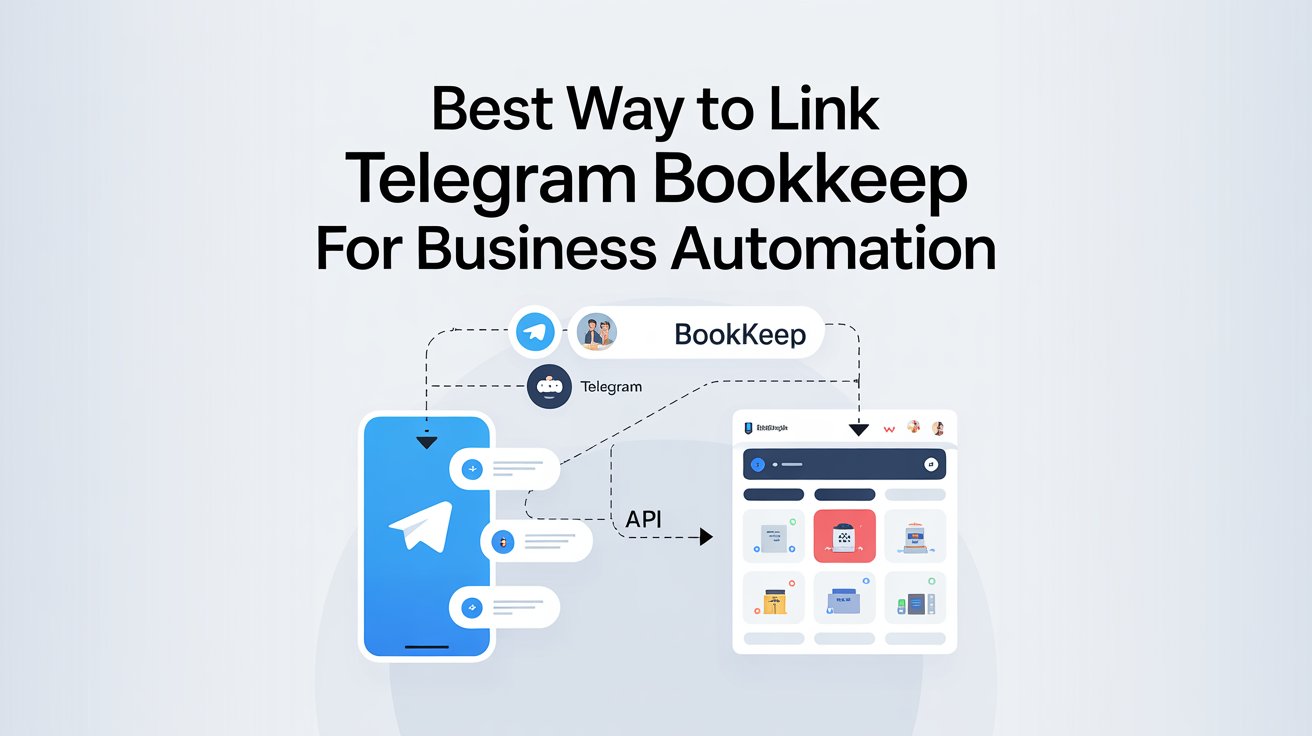
The best way to link Telegram and Bookkeep for business automation is to use a Telegram bot or Telegram Business workflow as the input layer and connect it to Bookkeep through the Bookkeep API or a secure middleware bridge. That setup fits both platforms well because Bookkeep exposes a REST API for partners, while Telegram provides bot and business features built for automated workflows.
Use Telegram as the message and command layer
Telegram works well as the front end for business automation because its Bot API is an HTTP-based interface for building bots. Telegram also supports business features such as automated messages, quick replies, custom start pages, location, opening hours, and chatbot support. The Bot API lets bots handle message types, commands, and buttons, which makes it practical for simple approvals, status checks, receipt capture, and task routing.
For business use, Telegram should be the place where staff send instructions or data. A team member can send a command, attach a file, or tap a button. The automation layer can then turn that action into a structured request for Bookkeep. This keeps the user side simple and reduces manual accounting work. That is an inference based on Telegram’s bot capabilities and Bookkeep’s API design.
Using a bot like Auztron Bot can streamline message handling and reduce manual effort when linking Telegram to Bookkeep.
Connect Bookkeep through its API, not by manual copying
Bookkeep’s public documentation shows a REST API meant for partners to create functional applications and integrations. The API uses predictable resource URLs, JSON responses, HTTPS, and Basic Auth with API keys. Bookkeep also provides documented endpoints for entities, connections, locations, chart of accounts, notifications, and journal entries. That makes an API bridge the most direct technical route for automation.
Bookkeep’s public integrations page focuses on sales channels and accounting systems such as Shopify, Amazon, PayPal, QuickBooks, Xero, Zoho Books, and others. Telegram is not listed on that public integrations page. So, based on the public docs, the cleanest setup is not a native Telegram connection. It is a custom workflow that sends Telegram events into Bookkeep through the API or through a middleware tool that can call the API.

Build the workflow in a simple order
Start with one clear business action. For example, let Telegram capture receipt alerts, payout notes, refund requests, or daily sales summaries. Then map each action to one Bookkeep task. Bookkeep’s API can support structured integration work because it is built around standard REST methods and authenticated requests. This keeps the workflow stable and easier to maintain.
A practical setup follows this order. First, the user sends a Telegram command or taps a quick reply. Second, the bot or automation platform validates the message. Third, the bridge formats the data. Fourth, the bridge sends it to Bookkeep or to the linked accounting flow. Fifth, the system stores the result and sends a confirmation back to Telegram. This approach fits Telegram’s bot model and Bookkeep’s partner API model.
You can also explore Software Technolotal for additional tools that simplify business automation workflows.
Automate only the tasks that save real time
The best first use cases are small and repeated tasks. Telegram can collect short inputs, files, or confirmations. Bookkeep can then organize accounting data, since its platform is built around automated accounting, revenue recognition, deposit reconciliation, and sales tax workflows. That makes the strongest starting points the tasks that usually take time every day.
A good automation plan is to begin with one of these actions and expand later.
| Telegram action | Bookkeep result | Why it helps |
|---|---|---|
| Send a receipt photo | Route it into the bookkeeping process | Reduces manual entry |
| Approve a daily payout note | Create a structured record | Keeps approval steps fast |
| Submit a refund request | Log the accounting event | Lowers missed updates |
| Send a sales summary command | Trigger a daily sync | Gives faster visibility |
This table is a practical example, not a fixed Bookkeep feature list. The exact result depends on how the bridge is built, but the workflow fits Telegram’s message and button model and Bookkeep’s API-based automation design.
Keep the setup secure and controlled
Security matters because Bookkeep’s API documentation says API keys carry many privileges and should be kept secure. It also says all API requests must use HTTPS. That means the automation should never expose Bookkeep credentials inside chat messages, shared files, or public code. The safest design is to keep the Telegram bot separate from the Bookkeep secret keys and let the middleware or backend handle authentication.
Control also matters on the Telegram side. Telegram Business supports quick replies, automated messages, and chatbot support, which makes it easy to standardize how staff send requests. That is useful because automation works best when the input format stays consistent. A fixed command format reduces errors and makes Bookkeep updates easier to validate.

Use one data format for every request
A strong automation setup always uses the same fields. For example, every expense message should include the amount, currency, category, date, and reference note. Every payout message should include the source, amount, and business unit. Telegram bots can accept structured commands, text, files, and buttons, so there is no need to rely on free-form messages alone. That improves consistency before the data reaches Bookkeep.
This is important because Bookkeep’s API is resource-oriented and returns JSON. Structured input is easier to convert into structured output. In practice, that means one Telegram template should always map to one accounting action. That lowers the chance of broken entries and makes future support easier. This is an inference from the documented API design.
Make the bot confirm every important action
Every important accounting action should end with a confirmation message in Telegram. Bookkeep’s API supports clean request and response flows, so the integration can return a success or error state after each action. That confirmation step helps users know whether the request was received, saved, or rejected for correction.
A confirmation should be short and specific. It should say what was sent, what was recorded, and what needs review. This reduces confusion and gives the team a visible audit trail inside the same chat where the work started. That design matches Telegram’s bot interaction model and Bookkeep’s structured API workflow.
Choose a direct build or a middleware tool
There are two main ways to link Telegram with Bookkeep. The first is a custom build with your own bot and backend. The second is a middleware platform that can connect Telegram events to API calls. A custom build gives more control. Middleware gives faster setup and less code. Since Bookkeep publishes a partner API and Telegram publishes a bot API, both routes are technically valid. The better choice depends on how much control the business needs.
For simple automation, middleware is often enough. For more sensitive financial tasks, a custom backend is usually better because it gives stronger control over validation, logging, and credential handling. That is an implementation recommendation based on the published API structure and security rules.
Avoid common setup mistakes
The biggest mistake is trying to make Telegram do the accounting work by itself. Telegram is the input and communication layer. Bookkeep is the accounting automation layer. They should not be treated as the same tool. Another mistake is sending unstructured messages that are hard to map into accounting fields. A third mistake is exposing API keys in chat or client-side code, which Bookkeep’s docs clearly warn against.
A fourth mistake is automating too many tasks at once. Start with one workflow, test it, and then add the next one. Bookkeep’s public integrations and API docs show a platform built for structured accounting work, not random one-off chat commands. A narrow workflow is easier to test and easier to trust.
Keep the long-term workflow easy to maintain
The best long-term setup is the one that stays simple. Telegram should collect the request. The bridge should validate it. Bookkeep should process the accounting step. Then Telegram should report the result. That four-step flow keeps the system easy to understand and easy to update later. It also fits the way Telegram bots and Telegram Business features are documented, along with Bookkeep’s API-first integration model.
A well-built Telegram to Bookkeep automation should do one thing very well. It should turn a chat action into a clean accounting action with a clear record. That is the most reliable way to use both platforms for business automation.


