


The https www google com gws_rd ssl remove query is usually related to removing the gws_rd=ssl parameter from a Google URL or understanding why it appears.
In most cases, this parameter is harmless and does not affect search results or website security.
What Is https www google com gws_rd ssl?
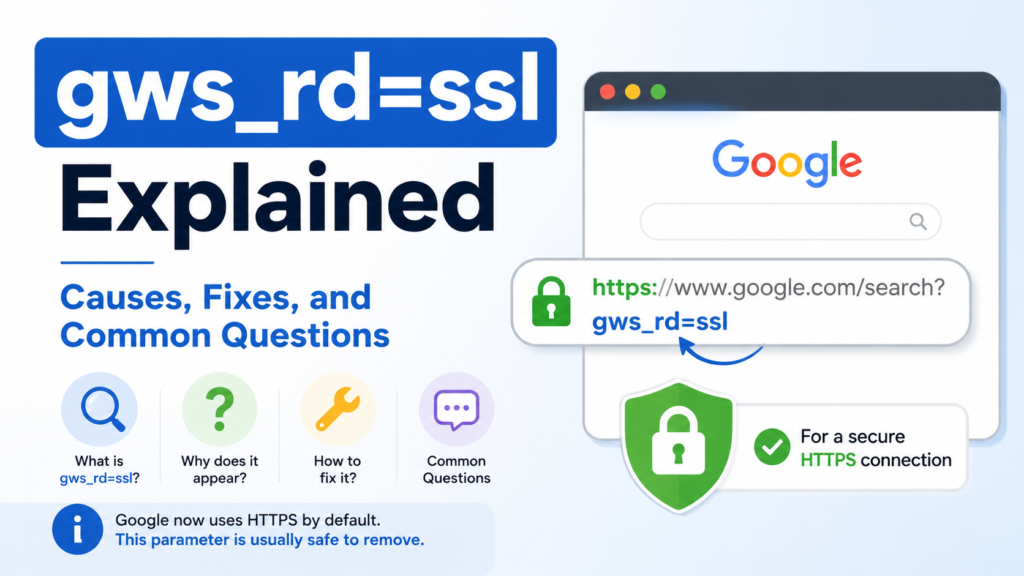
gws_rd=ssl is a URL parameter that Google used to add to some search URLs. It instructed browsers to use a secure HTTPS connection instead of an unsecured HTTP connection.
Years ago, Google gradually moved all searches to HTTPS. During that transition, this parameter appeared in many Google search links. Although it is less common today, people still see it in old bookmarks, cached pages, copied URLs, and outdated websites.
Read It’s Also: Com.google.android.youtube apk version 20.12.46 arm64-v8a | Download, Features, Installation & What’s New
What Does gws_rd=ssl Mean?
The parameter can be divided into two parts.
| Part | Meaning |
|---|---|
gws | Google Web Server |
rd | Redirect |
ssl | Secure Sockets Layer, referring to a secure HTTPS connection |
Although SSL is mentioned in the parameter, modern websites actually use TLS, which replaced SSL as the standard security protocol.
Why Does This Parameter Appear?
There are several common reasons why you may still see this parameter.
Old Google Search Links
Older websites often contain Google URLs copied many years ago. Those links may still include gws_rd=ssl.
Browser Bookmarks
If you saved a Google search years ago, the bookmark may still contain the parameter.
Cached Pages
Search engines and browsers sometimes keep old versions of pages that include outdated Google URLs.
Browser Extensions
Some browser extensions rewrite search URLs or preserve older parameters when redirecting users.
Copied Search Links
When someone copies a search result from an old source, the parameter may remain attached to the URL.
Does gws_rd=ssl Affect Search Results?
No.
Removing or keeping the parameter does not normally change Google search results. Google automatically redirects users to the correct secure version of its website.
The parameter is mostly ignored today because HTTPS is already the default for Google services.
Is gws_rd=ssl Safe?
Yes.
The parameter itself is safe. It was created by Google to help users reach the secure HTTPS version of Google Search.
It does not install software, track personal files, or harm your computer.
However, always make sure the website itself is really Google’s official domain before entering personal information.
Can You Remove gws_rd=ssl?
Yes.
You can safely remove the parameter from the URL in most situations.
For example:
Old URL
https://www.google.com/?gws_rd=sslClean URL
https://www.google.com/Both versions normally open the same secure Google homepage.
How to Remove gws_rd=ssl From a URL
Follow these simple steps.
| Step | Action |
|---|---|
| 1 | Copy the Google URL. |
| 2 | Find ?gws_rd=ssl or &gws_rd=ssl. |
| 3 | Delete that parameter. |
| 4 | Press Enter to open the cleaned URL. |
The page should work normally.
How to Fix URLs That Keep Showing gws_rd=ssl
If the parameter keeps appearing, try these solutions.
Update Old Bookmarks
Delete outdated bookmarks and save a fresh Google homepage.
Clear Browser Cache
Cached data can sometimes preserve older redirects.
Disable Browser Extensions
Temporarily disable search-related extensions to see whether they are modifying URLs.
Use Google’s Current Homepage
Open Google’s current homepage directly instead of using an old saved link.
Update Your Browser
An updated browser handles modern HTTPS connections correctly and reduces unnecessary redirects.
Does Removing gws_rd=ssl Improve SEO?
No.
This parameter belongs to Google’s own URL, not your website.
Removing it does not improve rankings, indexing, page speed, or search engine optimization.
Website owners should instead focus on:
- HTTPS security
- Fast loading pages
- Helpful content
- Mobile-friendly design
- Clear internal linking
These factors have a much greater impact on SEO.
Does It Affect Website Security?
No.
Removing the parameter does not reduce website security.
Modern browsers automatically connect to Google’s secure HTTPS version even without the parameter.
The security depends on HTTPS itself, not on gws_rd=ssl.
Read It’s Also: What is mailer-daemon@googlemail.com and Why You Receive These Emails
Common Problems Related to gws_rd=ssl
| Problem | Explanation | Solution |
|---|---|---|
| Old bookmarked URL | Saved years ago | Create a new bookmark |
| Parameter appears repeatedly | Browser extension or cached data | Clear cache and check extensions |
| Confusing URL | Old copied search link | Remove the parameter manually |
| Redirect issues | Temporary browser behavior | Refresh or open a clean Google URL |
Is gws_rd=ssl Still Used Today?
It is rarely used today.
Google completed its move to secure HTTPS browsing years ago. Most users never see this parameter unless they visit old links or archived pages.
Modern Google URLs are much cleaner and usually do not include it.
Frequently Asked Questions
It usually refers to removing the gws_rd=ssl parameter from an old Google URL because it is no longer necessary.
No. It is an official Google URL parameter and is not malware.
Yes. In most cases, you can remove it without affecting how Google works.
No. Google automatically loads the secure version of its website.
You may be using an old bookmark, cached page, copied link, or browser extension that preserves older Google URLs.
No. It has no direct effect on website rankings or search engine optimization.
Yes. Google uses HTTPS by default, even without the gws_rd=ssl parameter.


