


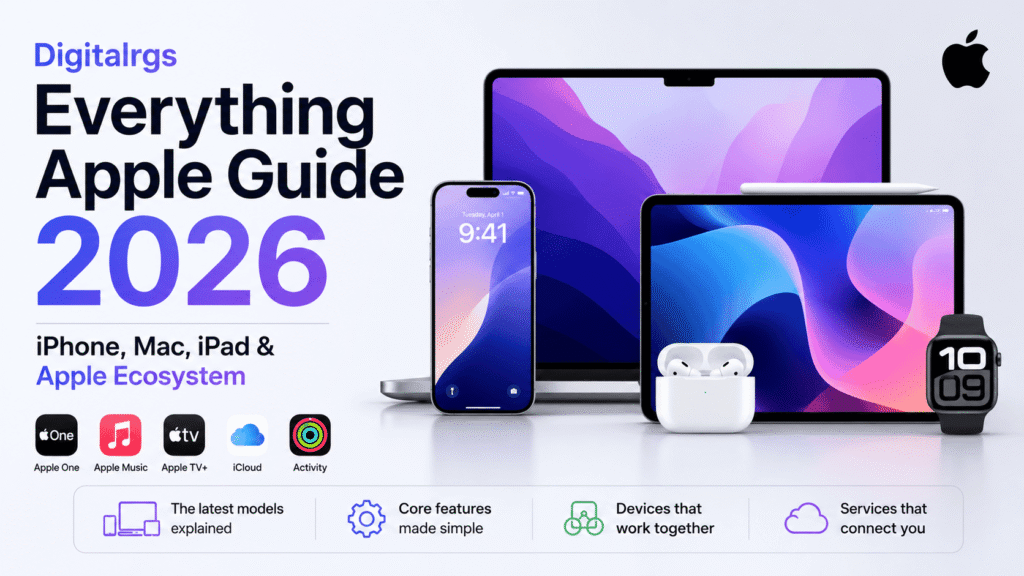
Digitalrgs Everything Apple Guide 2026 explains the current Apple lineup, the main device choices, and the services that connect iPhone, Mac, and iPad.
It covers the latest models, core features, and the Apple ecosystem in clear and simple English.
Apple lineup in 2026
Apple’s current consumer lineup centers on iPhone, Mac, and iPad, with each product family aimed at a different type of user. On the iPhone side, Apple highlights the iPhone 17 Pro, iPhone Air, iPhone 17, iPhone 17e, and iPhone 16 family on its main and comparison pages. On Mac, Apple currently lists MacBook Neo, MacBook Air, MacBook Pro, iMac, Mac mini, and Mac Studio. On iPad, the lineup includes iPad Pro, iPad Air, iPad, and iPad mini.
Apple also keeps the ecosystem tightly connected through shared software features. Handoff, AirDrop, iCloud, AirPlay, and Continuity tools help users move work, files, and media across devices with less effort. Apple’s 2026 software announcements also expand Apple Intelligence and Siri AI across iPhone, iPad, and Mac.
iPhone
The iPhone lineup in 2026 is built around the newest iPhone 17 family and the iPhone 16 generation, with older models still listed on Apple’s compare page for reference. Apple’s main iPhone page currently highlights iPhone 17 Pro, iPhone Air, iPhone 17, and iPhone 17e, along with iPhone 16. The compare page also includes iPhone 15, iPhone 14, and iPhone 13 families, which gives buyers a wide range of options.
Apple Intelligence is a major part of the modern iPhone experience. Apple says it is available on iPhone 16 models and later, as well as iPhone 15 Pro and iPhone 15 Pro Max. That makes the Pro models and the newer standard models the main choices for users who want the newest on-device intelligence features.
For practical use, the iPhone remains the center of Apple’s mobile ecosystem. It handles calls, messages, photos, maps, wallet features, and camera use, then passes content to Mac and iPad through continuity features. Apple also supports Handoff so users can start a task on one device and continue it on another nearby Apple device.
Mac
Apple’s Mac lineup is built on Apple silicon and covers both portable and desktop use. The current family includes MacBook Air, MacBook Pro, iMac, Mac mini, and Mac Studio, with MacBook Pro described by Apple as the most advanced Mac laptop for demanding tasks. Apple also lists MacBook Neo on its main Mac page in 2026.
Mac is the right Apple device for users who need a full desktop operating system, stronger multitasking, and a keyboard-first workflow. Apple’s software compatibility page shows macOS 27 support for MacBook Air with Apple silicon from 2020 and later, MacBook Pro with Apple silicon from 2020 and later, iMac with Apple silicon from 2021 and later, Mac mini with Apple silicon from 2020 and later, Mac Studio from 2022 and later, and Mac Pro with Apple silicon from 2023.
Mac also plays a central role in Apple continuity. Users can AirDrop files, stream content with AirPlay, answer calls, send texts, and use a single keyboard and mouse across Mac and iPad with Universal Control. Handoff also works across Mac and nearby Apple devices, including many Apple apps and some third-party apps.
iPad
Apple’s current iPad lineup includes iPad Pro, iPad Air, iPad, and iPad mini. The iPad page presents the family as a simple range for work, creativity, and everyday use. Apple’s compare page also makes it clear that buyers can compare resolution, size, weight, performance, battery life, and storage across the lineup.
The iPad Pro sits at the top of the range. Apple says the latest iPad Pro uses the M5 chip, supports Apple Intelligence, offers all-day battery life, comes in 11-inch or 13-inch sizes, and supports Wi-Fi 7, 5G, and Apple Pencil Pro. That makes it the most advanced iPad for users who need premium performance and strong accessory support.
The iPad Air is the balanced choice in Apple’s tablet family. Apple introduced the 11-inch and 13-inch iPad Air with M4 in 2026, and the device is aimed at users who want thin, light hardware with serious performance. The standard iPad remains the everyday model, while iPad mini gives users a smaller, ultra-portable option.
Apple Intelligence also reaches iPad. Apple says it works on iPad Pro and iPad Air with M1 and later, and on iPad mini with A17 Pro. That keeps the newest tablet intelligence features within Apple’s newer iPad hardware lines.
Apple ecosystem
The Apple ecosystem is the main reason many users stay with Apple across multiple devices. iCloud keeps photos, files, backups, and other important data secure, up to date, and available across devices. Apple says iCloud includes a free email account and 5 GB of free storage, with iCloud+ available for more storage and extra features. When users sign in on a new Apple device, key iCloud features can set up automatically.
AirDrop is one of the most useful ecosystem features. Apple says it can wirelessly send documents, photos, videos, websites, map locations, and more between Apple devices. On Mac, AirDrop can work from the Finder or the Share menu, and Apple notes that it can work even without a Wi-Fi network in some cases.
Handoff is another key part of the Apple experience. Apple says users can start a task on one Apple device and continue it on another nearby device. It works with many Apple apps such as Safari, Mail, FaceTime, and Maps, and Apple says some third-party apps also support it. This makes it easier to move from iPhone to Mac or from iPad to Mac without restarting the task.
Continuity also covers copy and paste, document scanning, calls, texts, and media sharing. Apple says users can copy images, video, text, and even files between nearby devices, insert sketches, photos, and scans from iPhone into Mac, and use AirPlay to stream content to a larger screen. Universal Control adds a shared keyboard and pointer across Mac and iPad.
Apple One adds another layer to the ecosystem. Apple says the bundle combines services such as Apple Music, Apple TV, Apple Arcade, and iCloud+ into one monthly plan, with Family sharing available on the family tier. That makes Apple services easier to manage across an Apple account.
For readers interested in Apple-related technology discussions and industry topics, our article on Bitclassic Applewhite provides further information worth exploring.
Apple Intelligence and Siri AI
Apple’s 2026 software updates put more focus on Apple Intelligence and Siri AI across the company’s main platforms. Apple says the next generation of Apple Intelligence and Siri AI spans iOS, iPadOS, macOS, watchOS, and visionOS. Apple also says Apple Intelligence is available on supported iPhone, iPad, and Mac models, which keeps the feature tied to newer hardware.
For buyers, this means Apple Intelligence is not a universal feature across every Apple device. It is tied to specific model ranges, including iPhone 15 Pro and later iPhone 16 models, iPad models with M1 and later, iPad mini with A17 Pro, and Mac models with M1 and later. That makes model choice important when long-term software support matters.
How to choose the right Apple device
Choose iPhone if you want the main Apple mobile device for calls, photos, messaging, and daily apps. Choose Mac if you need a full computer for serious work, long typing sessions, or advanced multitasking. Choose iPad if you want a touch device that sits between a phone and a laptop, especially for reading, note taking, sketching, and portable work. Apple’s lineup and feature pages support that split clearly.
Choose newer models if you want stronger support for Apple Intelligence and longer software life. Apple’s current pages show that the newest iPhone, iPad, and Mac families carry the broadest support for the latest intelligence features and software updates. For users who keep devices for several years, that support gap matters more than small design changes.
Storage, connectivity, and account basics
Storage choice matters across Apple’s ecosystem because photos, videos, apps, and backups quickly use space. Apple’s iPad compare page and iPad Pro page show multiple storage tiers, while Mac and iPhone comparisons also let buyers check technical differences before purchase. Cellular support, Wi-Fi support, and eSIM support also vary by model, so buyers should check the comparison page before deciding.
Apple account setup also affects everyday use. iCloud keeps content synchronized, Apple One can bundle services, and continuity features depend on devices being signed in and nearby. For the smoothest setup, users should keep software current and use the same Apple account across iPhone, Mac, and iPad.
Users who want more details about Apple account access and ecosystem features can also read our complete guide on Apple Sign appleMiller9to5mac for additional insights and updates.


